
We use cookies on this site to enhance your experience.
By selecting “Accept” and continuing to use this website, you consent to the use of cookies.
If you’re looking to book a classroom, Laurier has a space to suit your needs.
All rooms and space on campus must be booked using the Room Booking Form, with the exception of some rooms.
Learn how to operate classroom technology or report problems in classrooms as you're using our spaces.
Find a classroom:
The Laurier community is encourage to help maintain our spaces by returning classrooms to their original configuration, leaving technology working and ensuring spaces are left tidy.
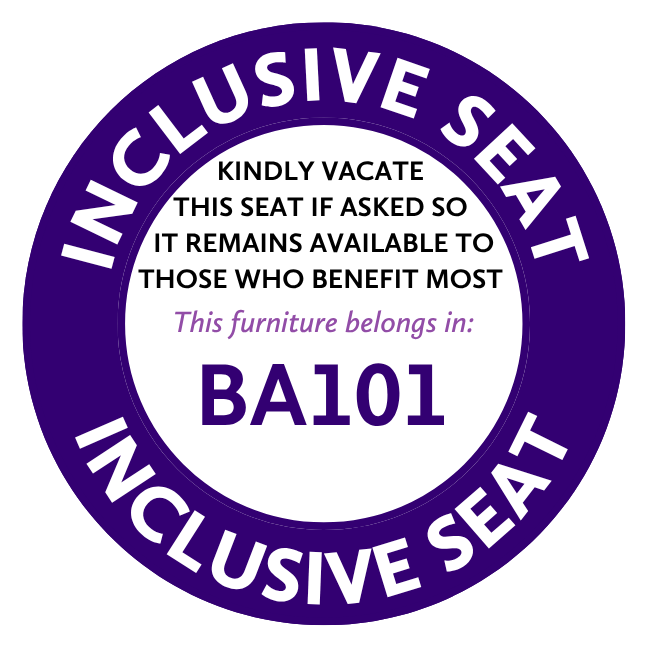
Inclusive seating options are available for students who require flexibility in seating due to disability, body size or other access and comfort needs. If asked, please be respectful and vacate these designated seats to support those who benefit most, or consider choosing another seat so they remain available.
By respecting these seating options and one another, we can create classrooms where every student can learn comfortably, confidently and with dignity.
Students who require ongoing access to accessible furniture are encouraged to connect with Accessible Learning for academic accommodations and campusaccessibility@wlu.ca for general requests.
For information about operating classroom technology, please consult the Classroom Orientation Guides.
Please contact the ICT ServiceDesk at support@mylaurier.ca for technology support in classrooms.
Reporting Issues: Promptly report classroom technology issues or general classroom problems for quick resolution.
Making Calls from Classrooms: Classrooms use Microsoft Teams phone on the classroom computer to make phone calls, including to ICT and for emergencies.
Whiteboards: Erase whiteboards before leaving class to ensure they’re clear for the next class.
Whiteboard Markers: Custodial Services restocks whiteboard markers overnight (two black markers and one eraser per whiteboard). Bring additional markers or specific colours as needed. Alternatively, consider digital whiteboarding solutions like Microsoft Whiteboard outlined on this page.
Furniture Arrangement: Return furniture to its original location before the end of class, avoiding unnecessary rearrangements for other instructors. Avoid removing or moving furniture between classrooms to maintain a consistent number of seats in each room.
Consideration for Waitlisted Students: In the first few weeks of term, students often audit classes that they’re hoping to attend but are not yet registered. This can lead to seats being taken by non-registered students displacing registered students to stand, and overcrowding classrooms. Please encourage students who are auditing to leave seats for registered students in full classrooms to maintain the room's capacity and adhere to fire code regulations.
Energy Conservation for Projectors: Turn off projectors if there's no immediate class following to conserve energy and extend bulb life.
Log-Out from Classroom computers: Log out of classroom computers using the “sign out” option in the Start Menu to protect personal information. The automatic logout timer that appears when you sign into a classroom computer is programmed for common class times to make logging out easier.
Wireless Microphones: Some larger classrooms and lecture theatres have a wireless lapel microphone provided in the room. Instructors should bring their own AA batteries with them to each class.
PowerPoint Remotes: Wireless remotes to advance PowerPoint slides are provided in multimedia classrooms. Remotes are specific to each classroom and should not be removed. Report missing or damaged remotes to ICT for replacement.
1C16 – Tablet desk classroom, capacity: 68
1C17 – Traditional classroom, shared desks, capacity: 67
1C18 – Tablet desk classroom, capacity: 68
2C3 – Case study room, capacity: 60
2C4 – Case study room, capacity: 54
2C15 – Tablet desk classroom, capacity: 68
2C16 – Traditional classroom, shared desks, capacity: 67
2C17 – Tablet desk classroom, capacity: 68
1E1 – Lecture theatre, capacity: 297
BA101 – Lecture theatre, capacity: 200
BA102 – Lecture theatre, capacity: 200
BA110 – Tablet desk classroom, capacity: 100
BA111 – Tablet desk classroom, capacity: 100
BA112 – Tablet desk classroom, capacity: 65
BA201 – Lecture theatre, capacity: 452
BA202 – Tablet desk classroom, capacity: 85
BA208 – Tablet desk classroom, capacity: 83
BA209 – Tablet desk classroom, capacity: 83
BA210 – Tablet desk classroom, capacity: 77
BA211 – Tablet desk classroom, capacity: 77
BA305 – Flexible learning space, capacity: 35
BA306 – Flexible learning space, capacity: 35
BA307 – Flexible learning space, capacity: 35
BA308 – Flexible learning space, capacity: 35
BA429 – Traditional Classrooom, fixed desks, capacity: 50
BA431 – Tablet desk classroom, capacity: 25
DAWB 1-101A – Flexible learning space, rolling tablet desks, capacity: 40
DAWB 2-101 – Traditional classroom, individual desks, capacity: 52
DAWB 2-104 – Active learning classroom, capacity: 72
DAWB 2-105 – Traditional classroom, individual desks, capacity: 56
DAWB 2-106 – Tablet desk classroom, capacity: 104
DAWB 2-108 – Traditional classroom, capacity: 62
DAWB 3-103 – Traditional classroom, capacity: 35
DAWB 3-105 – Flexible learning space, capacity: 28
DAWB 3-106 – Active learning classroom, capacity: 40
DAWB 4-101 – Seminar room, capacity: 10
DAWB 4-106 – Seminar room, capacity: 18
LH1001 – Lecture theatre, capacity: 1002
LH1009 – Case study room, capacity: 147
LH1010 – Case study room, capacity: 147
LH1011 – Case study room, capacity: 147
LH2062 – Case study room, capacity: 72
LH2064 – Case study room, capacity: 72
LH2066 – Case study room, capacity: 72
LH3094 – Lecture theatre, capacity: 295
LH3098 – Active learning classroom, capacity: 64
LH3101 – Active learning classroom, capacity: 64
MLU101A – Traditional classroom, capacity: 30
MLU101B – Traditional classroom, capacity: 30
MLU201A – Traditional classroom, capacity: 30
MLU201B – Traditional classroom, capacity: 30
MLU201C – Traditional classroom, capacity: 30
MLU203 – Traditional classroom, capacity: 30
P110 – Lecture theatre, capacity: 212
P115 – Case study room, capacity: 60
P118 – Flexible learning space, capacity: 40
P120 – Case study room, capacity: 60
P327 – Traditional classroom, capacity: 40
P331 – Flexible learning space, rolling tablet desks, capacity: 20
P351 – Flexible learning space, rolling tablet desks capacity: 20
SB103 – Case study room, capacity: 65
SB105 – Case study room, capacity: 43
SB106 – Case study room, capacity: 124
SB107 – Case study room, capacity: 70
SB203 – Case study room, capacity: 64
SB204 – Case study room, capacity: 66
SB305 – Flexible learning space, shared desks, capacity: 60
N1001 – Lecture theatre, capacity: 280
N1002 – Lecture theatre, capacity: 150
N1042 – Active learning classroom, movable desks, capacity: 40
N1044 – Lecture theatre, capacity: 90
N1057 – Traditional classroom, capacity: 50
N1059 – Traditional classroom, capacity: 25
CB205 – Case study room, capacity: 42
CB206 – Case study room, capacity: 98
CB207 – Flexible learning space, capacity: 57
CB208 – Traditional classroom, capacity: 20
CB209 – Seminar room, capacity: 30
DAL007 – Active learning classroom, capacity: 56
GRH101 – Traditional classroom, capacity: 43
GRH102A – Flexible learning space, capacity: 30
GRH102B – Flexible learning space, capacity: 30
GRH104 – Seminar room, capacity: 25
GRH105 – Seminar room, capacity: 25
GRH207 – Lecture theatre, capacity: 104
MDC018 – Traditional classroom, capacity: 28
MDC019 – Traditional classroom, capacity: 32
OM207-1 – Flexible learning space, capacity: 48
OM207-2 – Flexible learning space, capacity: 44
OM207-3 – Flexible learning space, capacity: 40
RCE004 – Lecture theatre, capacity: 210
RCW002 – Lecture theatre, capacity: 245
RCE202 – Lecture theatre, capacity: 120
RCE203 – Lecture theatre, capacity: 118
SCJ127 – Lecture theatre, capacity: 137
MAC 117 – Computer Lab, capacity: 65
MAC 121 – Active Learning Classroom, capacity: 32
MAC 128 – Flexible Learning Space, capacity: 80
MAC 137 – Flexible Learning Space, capacity: 94
Web conferencing classrooms are outfitted with cameras and microphones that allow whole classes to stream and record using tools like Zoom or Teams. The room's cameras and microphones connect into the classroom computer and instructors can start a Zoom session from the console computer at any time. Explore the orientation guide for web conference classrooms.
Bricker Academic
Dr. Alvin Woods Building
Lazaridis Hall
Peters Building
Schlegel Building
Science Building
All rooms and space on campus must be booked using the Room Booking Form, with the exception of the following: